How to enable https redirection using Hostseo SSL plugin for Magento 2
- cPanel Software Management
- 1,830 views
- Aelswith E.

To enable https redirection follow these steps:
NOTE: we recommend making a backup of your website before proceeding with any changes. If your Magento was installed using Softaculous, you may follow this guide to backup your installation.
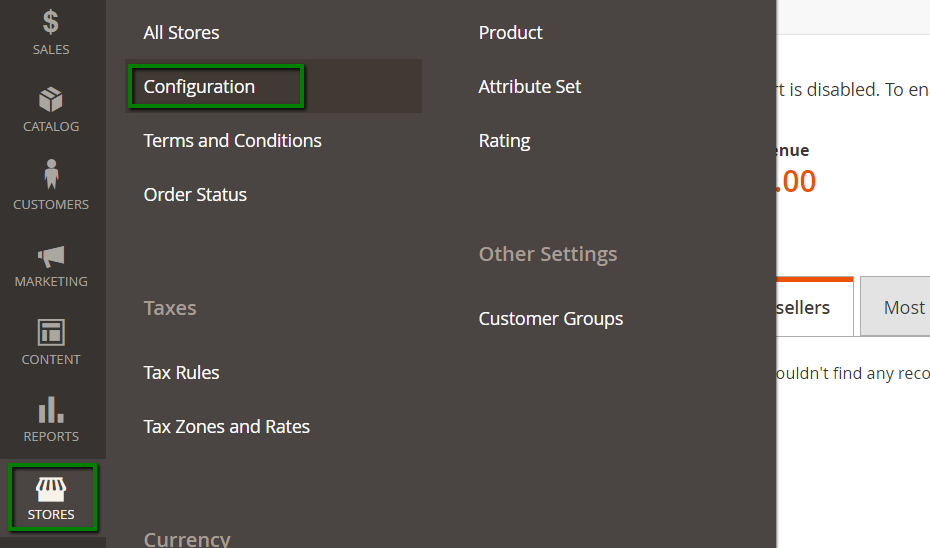
1. Log in to your Magento dashboard and go to Stores > Configuration:
2. Next, go to General > Web > expand the Base URLs (Secure) section:
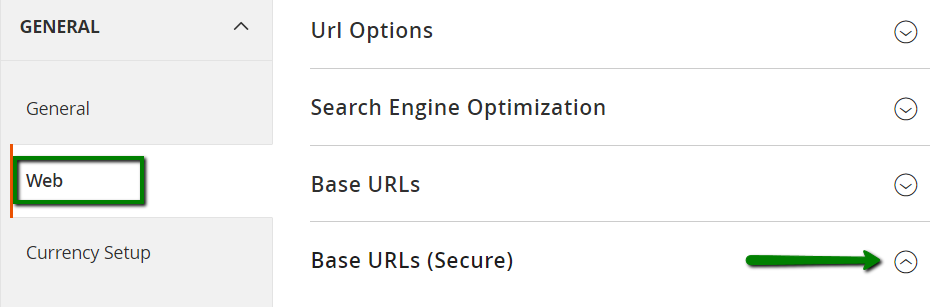
3. Set ‘Use Secure URLs on Storefront‘ and ‘Use Secure URLs in Admin‘ to yes and click the Save Config button :

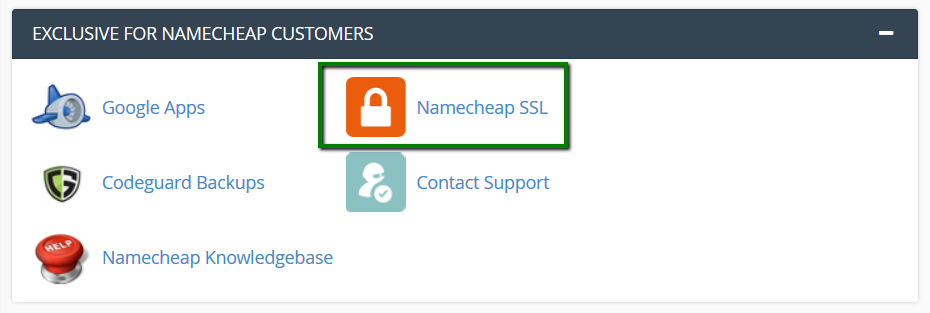
4. Go to cPanel > Exclusive for Hostseo customers section > Hostseo SSL:
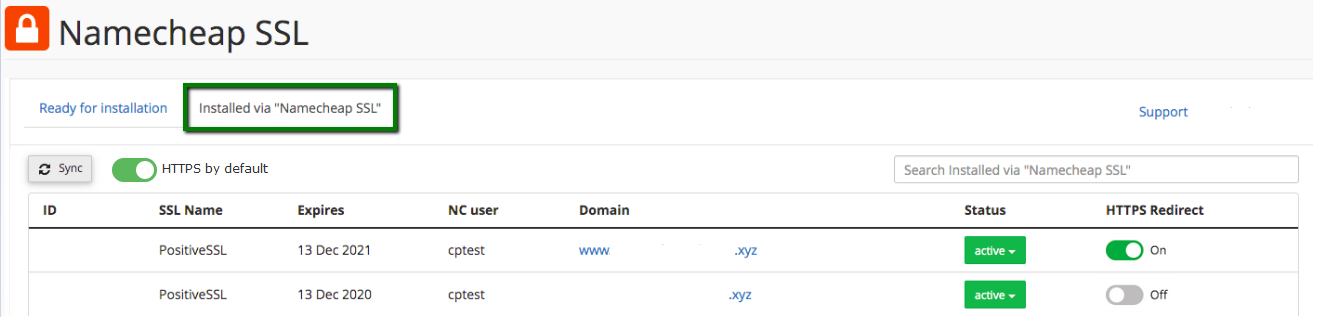
5. Next, click Installed via “Hostseo SSL” and switch HTTPS Redirect toggle on:
NOTE: This feature is available if the SSL certificate was installed via the Hostseo SSL plugin only. The certificate status must be Active.
NOTE: The HTTPS by default toggle enables the redirect automatically for the free cPanel PositiveSSLs only; it is turned On by default and can be switched Off manually. You can find out more details here.
That’s it!
Need any help? Contact our HelpDesk